Starlink Will Be Available In Sri Lanka From April
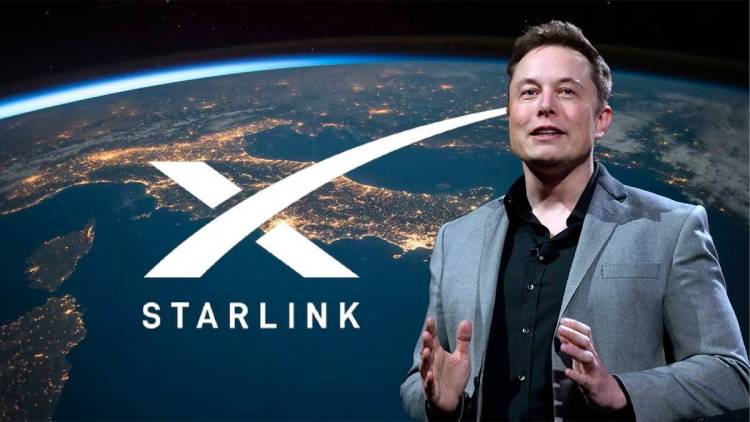
Starlink satellite broadband service will be operational in Sri Lanka starting April 2025, said Sri Lankan Minister & Cabinet Spokesperson Dr. Nalinda Jayatissa.
2025-03-26 13:38:00
2025-03-26 13:38:00
2025-02-16 17:34:00

2025-02-15 15:44:00
2025-02-14 10:12:00
2025-02-13 20:42:00

2025-02-07 11:55:00

2025-02-06 16:24:00

2025-02-06 15:06:00

2025-01-30 15:22:00

2025-01-30 08:59:00

2025-01-29 14:19:00
2025-01-27 20:28:00

2025-01-12 13:08:00

2025-01-12 10:33:00

2025-01-12 10:31:00

2025-01-12 08:36:00

2025-01-12 06:19:00

2025-01-12 04:16:00

2025-01-11 23:22:00

2025-01-11 17:35:00

2025-01-11 11:31:00

2025-01-11 11:02:00

2025-01-11 10:59:00

2025-01-11 10:56:00

2025-01-11 10:51:00

2025-01-11 10:49:00

2025-01-11 10:46:00

2025-01-11 10:39:00

2025-01-11 10:35:00

2025-01-11 10:31:00
2025-03-26 13:38:00
2025-02-16 17:34:00
2025-02-15 15:44:00
2025-02-14 10:12:00
2025-02-13 20:42:00
2025-02-07 11:55:00
2025-02-06 16:24:00
2025-02-06 15:06:00
2025-01-30 15:22:00
2025-01-30 08:59:00
2025-01-29 14:19:00
2025-01-27 20:28:00
2025-01-12 13:08:00
2025-01-12 10:33:00
2025-01-12 10:31:00
2025-01-12 08:36:00
2025-01-12 06:19:00
2025-01-12 04:16:00
2025-01-11 23:22:00
2025-01-11 17:35:00
2025-01-11 11:31:00
2025-01-11 11:02:00
2025-01-11 10:59:00
2025-01-11 10:56:00
2025-01-11 10:51:00
2025-01-11 10:49:00
2025-01-11 10:46:00
2025-01-11 10:39:00
2025-01-11 10:35:00
2025-01-11 10:31:00